O'Brien & Bails

Michigan Court Reporters

  • Home
  • About
  • Services
    • Court Reporting & Video
    • Records Retrieval
  • Schedule/Order
    • Upload Exhibit(s)
    • Order Transcript
  • Resources
    • Events & Webinars
    • Portal Sign Up
  • Blog
  • Contact
    • Map of Locations
    • Email Us

November 14, 2014 By Dawn Houghton

Easily Connect to Your Court Reporter’s Realtime Transcription

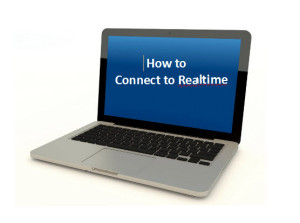
How To Connect To RealtimeAt O’Brien and Bails, we have been providing realtime transcription for quite some time. Our clients find great value in viewing the transcribed spoken word as it is happening. If you’ve never connected to realtime in a deposition before, you may think it is technically difficult. But connecting to realtime is actually simple. Once you know what is involved, you will see that using realtime in your next deposition can be easy and of great value to you and your clients.

What is Realtime Transcription?

In a nutshell, realtime transcription is a system whereby the spoken word is recorded by the court reporter and delivered as text on a computer screen within a few seconds of the words being spoken.

Valuable Features of Realtime Transcription

  • A rough draft of the written record is available shortly after the proceeding has ended.
  • You have the ability to search for keywords in the text.
  • Text can be copied and pasted into other documents or emails.
  • Transcripts can be shared by the Internet or email.
  • During the deposition, reference can be made to previous testimony.
  • Drafts can be used to organize the next deposition you may be taking.
  • Answers can be reviewed immediately, giving you the opportunity to ask for further clarification if necessary.

How to Connect to Realtime

Connecting your computer to realtime is not difficult. Each court reporting firm may use different software and the process may vary from system to system. It is a good idea to call your court reporting firm before the deposition and ask for a set of instructions for connecting to your court reporter’s specific software.

At O’Brien and Bails, we use two software programs to deliver realtime transcription; Eclipse and CaseViewNet. Some of our reporters use Eclipse, and others use CaseViewNet. These software programs allow us to provide instant realtime text. No matter which program your court reporter is using, you will not need to purchase software or tokens in order to connect to realtime.

Connecting to realtime is easy. Here are the steps involved in connecting with a wireless connection that your court reporter will provide. The first set of instruction is for CaseViewNet. The second set is for court reporters using the Eclipse software.

CaseViewNet Software Realtime Connection

1. Connect to the court reporter’s wireless network.

  • Verify that your computer is WiFi enabled. View or connect to the available wireless networks by right-clicking the wireless icon on your Windows taskbar.
  • Choose the court reporter’s wireless network from the available networks.
  • If required, enter the network key (pass phrase) provided by the reporter.

2. Connect to the court reporter’s realtime system.

  • Start CaseViewNet client software.
  • Click the Connect button.
  • Follow instructions in the Connection Wizard.

3. Provide your log-in credentials and connect to the event.

  • Use your name and the name of your organization.
  • Provide the event password as provided by the court reporter.

Simple instructions for connecting are provided by CaseViewNet on their website. They also provide instructions for connecting by serial port if wireless is not available.

Eclipse Software Realtime Connection

If your court reporter is using Eclipse software, the following instructions are the ones you will follow to gain a realtime connection on your computer:

1. Go to https://connect.eclipsecat.com.

2. Click the lightening bolt symbol in the lower left-hand corner of your screen.

3. Scroll to find the transcript with which you wish to connect.

4. Enter the password you have been given from your court reporter.

We Make it Easy for You to Connect

Realtime transcription can be a huge benefit to attorneys when preparing cases. We strive to provide realtime in a way that is easy and uncomplicated. If you haven’t connected to realtime transcription in a proceeding before, as you can see, it is a simple process. Your court reporter is available to assist in making the connection so you can receive realtime transcription on your computer and reap the benefits in your next deposition.

Filed Under: Legal Technology

November 18, 2013 By Dawn Houghton

How Can Law Firms Recycle Computers and Electronics?

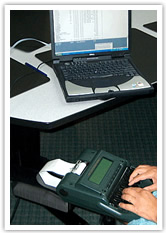
Law Firms Recycling ComputersLike most businesses these days, law firms are becoming increasingly interested in managing the carbon footprint of their offices. Not only is it a good idea for the environment, it can also be good for business. Consumers care about the environment and feel good about doing business with a law firm that cares also. Implementing a program for recycling office computers and electronics is a good way to reduce your office’s carbon footprint.
Saving Resources

According to the EPA, the United States Environmental Protection Agency, “recycling one million laptops saves the energy equivalent to the electricity used by more than 3,500 U.S. homes in a year.” Furthermore, recycling one million cell phones saves 35,000 pounds of copper, 772 pounds of silver, 75 pounds of gold and 33 pounds of palladium. Recycling your computers and electronics saves energy and creates space in your office for upgraded computers and electronics. For offices interested in recycling their electronics, EPA.gov offers a wealth of good information on managing electronic waste.http://epa.gov/region4/rcra/ecycling.htm

EPA.gov suggests that before donating your electronics, you may want to consider upgrading your software instead of buying brand new products. If you still decide to proceed with recycling all of your hardware, then first delete all of your personal information from each computer and electronic device. You may also need to remove batteries from your electronics in case they need to be recycled separately.

Where to Recycle Electronics

Next, you will need to figure out where to recycle your goods. A good example to start with is Dell since many offices use Dell computers. The good news is that Dell will take unwanted computer equipment, in any condition, through their Dell Reconnect program. Dell Reconnect resells or recycles old technology while employing people through Goodwill. However, Dell recommends that equipment without resale value should be recycled through IT Asset Recycling. Dell will pick up your computers at your designated location, ship them to their facilities and evaluate them to determine value. Equipment without a resale value will be recycled, but if Dell determines that select items have resale value, they can help you resell your goods. Companies that are not looking to recycle large quantities of electronics can drop off their electronics at more than 2,000 locations in stores or at permanent drop-sites or mail them in.

Other major brands, such as Samsung, will recycle their own brand as well. They have fixed drop-off locations or you can mail back any Samsung branded end-of-life products, including televisions up to 50 pounds, to their recycling partner. Similar to Dell, Samsung is also committed to recycling their products as part of their environmentally conscious brand.

To learn more about how your office can donate your brand-specific products, visit EPA.gov to discover how and where you can drop off your items. Many brands offer to pick up their products from your location. To discover what their services and costs are, call their toll-free numbers as listed on their websites.

Security Issues

As a law firm, you are responsible for protecting the data of your clients.  When disposing of computer equipment, there are specific measures you can take to ensure that the data on the computer does not fall into the hands of others.

One option is to remove the hard drive from your computer. Removing the hard drive before disposing of the computer means you will be able to keep the data in your hands, even after the computer itself is gone.  After removing the hard drive, you can then dispose of the rest of the computer.  It is a good idea to keep the hard drive in a secure place, label it with information about the computer it came from and the type of data that it contains.  If ever you need to access the data in the future, you will have the information necessary to be able to extract the data you need.

Another option for keeping data out of the wrong hands is to wipe the hard drive clean.  This is a process done by special software. There are free softwares and paid softwares that allow you to wipe the hard drive. Be aware that you may need to wipe it several times in order to remove all of the data.  Also note that once you begin wiping data, you will not be able to retrieve it again, so be sure to back up any data that you need to keep into the future.  If you are disposing of your computer with a company that specializes in disposal, ask if they offer the service of wiping the hard drive for you.

The American Bar Association has written an article that contains more information on special security measures attorneys need to consider when disposing of computer equipment, entitled “FYI: How To Dispose of Computer Equipment.” This article also contains a list of more resources outlining good information for disposing of equipment.

If you found this article interesting, you may also like “5 Technologies Every Attorney Must Have.”

Filed Under: Legal Professionals

August 1, 2013 By Dawn Houghton

The Court Reporting Profession is Alive and Well

court reporting professionFor years, people have been warning court reporters and students that the future of court reporting is doomed. But contrary to the warnings, the industry has not collapsed. It is alive and well, even thriving due to advancements that have strengthened the profession.

Over 30 years ago, when I became a court reporter, I heard the warnings, “Court reporters will be replaced by electronic recording….you won’t have a job once video replaces you…voice recognition is going to kill court reporting.”

Over the years, I have seen these arguments and many more fall by the wayside. One by one, they were proven wrong as our skills grew stronger, our technology blossomed, and new career paths opened up that widened our profession. A career in court reporting is as stable today as it was years ago when I first began reporting.

Projections

The United States Department of Labor, Bureau of Labor and Statistics publishes the Occupational Outlook Handbook. This handbook is a source for career information about many different professions. The profiles feature hundreds of occupations and describe the occupations, the work environment, how to enter the field, and more. Each profile also includes employment projections for the 2010–2020 decade. The Occupational Outlook Handbook lists court reporting and gives facts about the industry that are beneficial to anyone who is thinking of entering the field. These facts are also reassuring to court reporters who are still hearing warnings of job shrinkage.

There are currently 22,000 court reporters estimated to be employed in the United States. The Bureau of Labor and Statistics projects this number to grow by 14% from 2010 to 2020. This is hardly an indication of a shrinking job market. In fact, the field is expected to grow at an average pace when compared to other occupations.

New Technology

The technology of court reporting has evolved over the years, and continues to advance as computers and the internet advance in sophistication. For years, the only technology used was a stenotype machine and a typewriter.

In the early ’80s, computer-aided transcription became the norm. Court reporters were able to teach computers how to read steno notes and help turn those notes into transcripts. Over the years, the computer-aided technology has developed into realtime reporting, allowing our steno notes to be instantaneously translated at a high rate of accuracy.

Video began to be incorporated to allow for video depositions accompanied by traditional transcription. With the evolution of the Internet, we now have the capability to transmit video, audio and realtime transcription to remote locations. The realtime nature of this new technology means parties can effectively participate in proceedings that are taking place in different geographical locations without leaving their own office.

These new technologies allow court reporters to not only stay relevant to legal proceedings, but also offer wider and more convenient services to clients

New Skills

With the new technology of computer-aided transcription in real time, court reporters began to evolve the traditional shorthand theory into a new system of writing that allowed for more accurate realtime transcription. Over the last 20 years, many reporters have retrained themselves in a new way of writing. This higher level of realtime accuracy allows reporters to project realtime translation and also deliver a highly accurate rough draft immediately upon the conclusion of the proceedings. The realtime translation is helpful to the attorneys while they are asking their questions of the witness.  The rough draft being supplied is popular for attorneys preparing for an upcoming trial who want the convenience of having the written testimony in front of them immediately after the proceedings have concluded.

Another skill that has developed in the last couple decades is legal video. The profession, as a whole, has pioneered legal video and streaming video so that they may deliver these services to clients who can take advantage of the technology and use it to their best benefit. The National Court Reporters Association offers certification for videographers who are interested in providing a high level of professional legal video to clients. This standardization allows the court reporting industry to continue to provide highly professional video for legal use.

The ability to commandeer these new technologies and use them to offer a wider variety of services has allowed court reporters to continue to stay relevant over the years.

New Career Paths

Once reporters adapted their writing to provide highly accurate realtime translation, reporters began offering their services to the deaf community and people who are severely hard of hearing. These realtime skills are now employed to provide broadcast captioning of live television shows, such as news broadcasts. Television captions are typically created before a show airs. In the case of live television shows, there is no opportunity to create captions before the show airs. Working with television stations, court reporters began using their skills to translate the spoken word in realtime and send it out with live television shows.

Realtime also became the method to provide Communication Access Realtime Translation (CART) to individuals in schools, the work place and live theater. With the CART provider writing what is being spoken, the person receiving assistance can then read the captions from a computer screen and is able to participate in live discussions that would typically be extremely difficult without the live captions being provided.

These new fields of broadcast captioning and Communication Access Realtime Translation has broadened a court reporter’s choices of fields to work in and expanded the number of jobs available in the profession.

A Profession That is Strong and Growing

This equation of new technologies, new skills and new career paths adds up to a profession that is alive and thriving. When people tell me court reporting is dying, I know they are wrong because of the developments I have watched and participated in over the years. The truth is the field of court reporting is stronger now than ever.

Filed Under: Court Reporters, Court Reporting

July 25, 2013 By Dawn Houghton

What Does a Court Reporting Production Manager Do?

carmaria - court reporting productionIn a large court reporting firm with several court reporters, there are many transcripts each week that need to be printed and prepared for delivery. Often larger court reporting firms have a production manager who is responsible for these tasks. For O’Brien and Bails, that person is Carmaria Beeke.

As production manager, Carmaria’s job is central to the operations of O’Brien and Bails. With Carmaria’s careful attention to detail, our clients receive their transcripts on time and come to rely on excellent service. Carmaria will tell you each transcript has many variables and details that need proper attention.

Duties of a Production Manager

In our main office in Kalamazoo, each week there are transcripts submitted from many court reporters that need to be e-mailed, printed, properly packaged and sent. Each reporter fills out a worksheet shortly after taking a deposition. The worksheet specifies instructions for Carmaria when she is processing the transcript, such as which attorney has ordered the original transcript and which attorneys receive copies. Another important detail is how many exhibits need to be attached to a transcript. There are many details such as these for every single transcript that leaves our office.

Once the order worksheets have been collected, the reporter transcribes the proceedings and sends the digital transcript to Carmaria, who then e-mails, prints, binds, invoices and seals each transcript preparing for delivery. Transcripts are typically delivered within 10 calendar days of the taking of the deposition. This means Carmaria is always mindful of the deadline on each transcript she processes.

Technical Ability and People Skills

When she is not producing transcripts, Carmaria helps with other tasks such as setting up the technology to conduct streaming video depositions. These are depositions that are being conducted with parties who are in separate locations. Streaming video allows all parties to be present in real time and participate in the deposition using streaming video from the comfort of their office and eliminating travel, especially for out of state depositions.

Not only does Carmaria set up online depositions, she also works with clients to ensure they are able to access the technology. Working with clients and technology requires a mixture of technical ability and people skills. Streaming video technology is new to many attorneys and legal staff, and there is a learning curve to using it. Carmaria helps each client understand the process and how they will participate.

As a production manager, Carmaria is familiar with many types of litigation software used by clients, and is able to produce transcripts in formats that are compatible with the software an attorney is using. Again, a mixture of technical skills and people skills comes into play. Carmaria helps each client receive the proper file format they need in order to incorporate the transcript files into their particular litigation software.

Master of Production

Before working as production manager, Carmaria came to the field with little experience and knowledge of the court reporting industry. But after working with O’Brien and Bails for almost two years, she has learned how the industry works and all the combinations of services clients may need when scheduling depositions and ordering transcripts. She is now a master of the process and continues to tweak and perfect the production of transcripts to make it better and more efficient.

When asked what she likes most about her job, Carmaria says, “Working with all our clients and court reporters and building those relationships.” She knows the importance of good client relationships and enjoys the process of getting to know each person she comes in contact with in the course of doing her job.

Everyday Challenges

Of course, there are also challenges to being a production manager. Carmaria knows that meeting deadlines is of utmost importance. She says most challenging are the situations when she is sending a transcript that is needed the very next day in a different location from the attorney who ordered it. She works with legal staff to discern where the transcript needs to be and what time it needs to be there. She may be able to rely on FedEx or UPS to deliver the transcript. She may need to find a court reporting office in the destination city who can print the file and deliver it to the courthouse. Carmaria continues to troubleshoot until she knows she has a way to get the transcript into the hands of the attorneys who need them.

Going the Extra Mile

Carmaria takes real ownership of her production manager position. Recently she was working to get a transcript ready to take to the UPS drop box before the daily pickup time at 6:00 p.m. Says Carmaria, “When I was leaving our office, I couldn’t decide which UPS box to go to. I knew it had to be there by 6:00 p.m. for pickup and I was almost sure I would not make it. I was on the GPS on my phone trying to figure out which was the closest location when I saw our regular UPS driver on the street.”

Carmaria decided to flag down the UPS driver to hand him her package. But first she had to reach the driver on the busy one-way streets of Kalamazoo. With the UPS driver in sight, she decided to pull into a parking spot in front of the truck. After she pulled in, she noticed the driver was already back in his truck and was pulling back out into traffic. She saw that he went down the street and around the corner. She decided to follow him once again. As soon as he was in sight again, she was stuck at a red light. Once the light turned green, she drove up and around the truck once again, parked her vehicle, jumped out and ran to the driver. He gladly accepted the package. Her hard work paid off. She got the package to the driver and the transcript was delivered the next day on time. “We always have candy in our office and Al usually takes a handful when he drops off packages at our office. I asked him what kind of candy was his favorite and bought him a big bag of Snickers bars to give him the next time he stopped in our office.”

Characteristics of a Successful Production Manager

When asked what traits are needed to be a successful production manager, Carmaria says, “You have to be organized, pay attention to details, multi-task, and be able to work in varying levels of intensity.”

Carmaria will tell you she has very specific processes she uses in order to make sure every detail is handled. “You have to be flexible,” says Carmaria. “I might get a call and suddenly have to drop everything I am doing, and pick back up later to finish.”

In a large court reporting firm like O’Brien and Bails, there are many behind-the-scenes tasks that need to be taken care of each and every day. We are able to give our customers excellent service because we have great people. Carmaria takes care of production and makes sure everything is running on time. It’s a big job, and she makes it look easy.

Dawn Houghton, the owner of O’Brien & Bails, knows she is very lucky to have Carmaria Beeke on her team.

Filed Under: Court Reporting

June 27, 2013 By Dawn Houghton

O’Brien and Bails Court Reporting Offers Online Transcript Ordering

online transcript orderingAt O’Brien and Bails, your Michigan court reporters, we are always looking for ways to bring more value to our clients. Anticipating your needs is one of our highest customer service priorities. We know there are times when you would like to order a deposition without calling our office. Whether it’s after hours or when it is not convenient to call, you may wish to have another way to order. We have been working on a project that will make it easier for you to order transcripts from us quickly and easily at any time of the day or night.

We are ready to unveil the O’Brien and Bails’ Online Transcript Order Form. When you’re ready to order a transcript, you can now do so online here at our website. Click the button entitled “Transcript Order Form”, and you will be taken to an ordering page. The following are some of the items you should know when ordering your transcript online. Not all are required, but it is helpful if you have as much information as you can when placing an order.

  • Attorney’s name
  • Email address
  • Phone number
  • Name of person submitting order
  • Date of deposition
  • Deponent’s name
  • Case caption
  • Date transcript is needed

Once you press the “Submit” button, we will receive your order. Our production staff will make sure your transcription is under way and delivered to you on time.

If this new way of ordering transcripts isn’t a fit for you, we are still very happy to speak with you on the phone and take your order for transcripts.

We appreciate you as a customer and want to offer you the ease and convenience of ordering your transcripts online.

If you would like to order your transcript online, you can do so here.

Filed Under: Court Reporters, Court Reporting

  • 1
  • 2
  • 3
  • Next Page »

Copyright © 2025 · O'Brien & Bails | Michigan Court Reporters
251 N. Rose Street, Suite 200
Kalamazoo, MI 49007-3943
(Get Directions)
269.345.8436 · 800.878.8750 · Email Us
Image Credit